
When the term begins, maintaining momentum is just as important as getting off to a good start. That’s where IntelliBoard’s Instructor Behavior Dashboard becomes an indispensable tool.
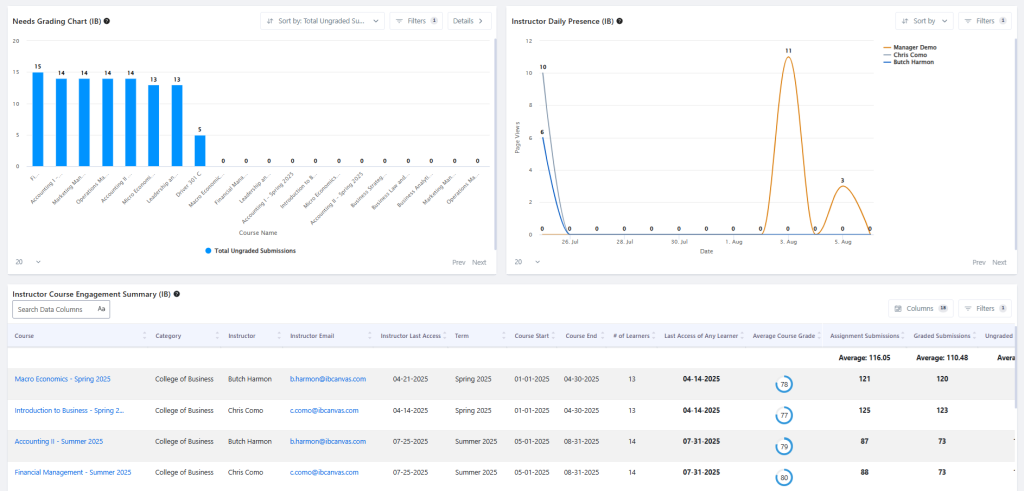
IntelliBoard’s Instructor Behavior Dashboard includes visual aids that give us engagement at a glance, along with detailed breakdowns of time spent.
What makes this dashboard unique is its role-aware filtering. An instructor sees only their courses and learners; a dean or department chair sees all the courses and instructors they supervise. Yet, both are looking at the same data, visualized in the same way.
This shared visibility creates a culture of accountability and support. If a department head sees 10 ungraded assignments in a course, the instructor sees the same number. Rather than policing, LMS (Learning Management System) administrators can gently alert instructors before grading delays become a performance issue. IntelliBoard allows these notifications to be automated based on local institution policies.
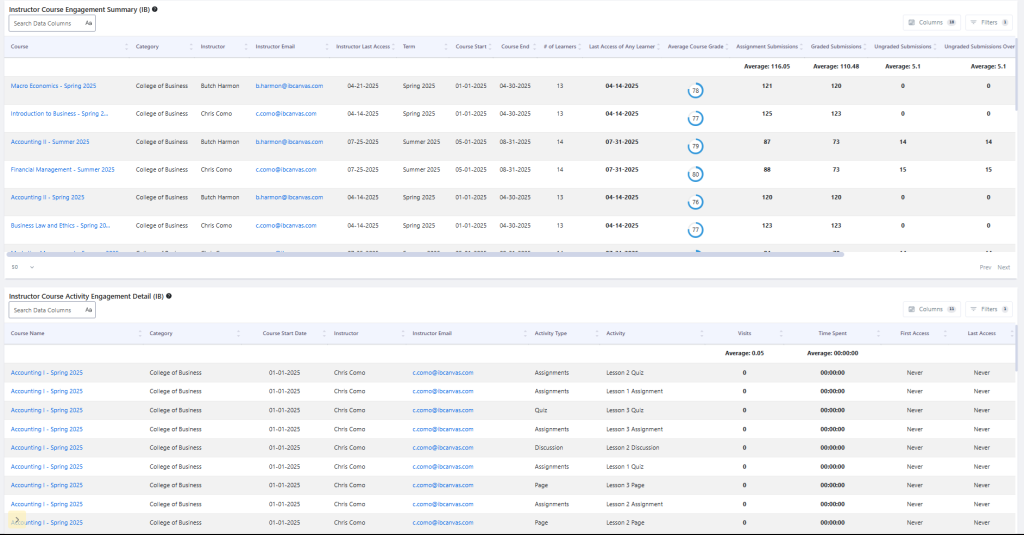
IntelliBoard’s Instructor Behavior Dashboard includes details about time spent and engagement with course material.
In practice, the Instructor Behavior Dashboard also helps to identify gradebook misconfigurations, such as duplicated columns or outdated extra credit assignments inflating course grades to 1000%. Reusing course content from previous terms sometimes results in small configuration errors that can accumulate and distort the view of grades for instructors, learners, and other stakeholders. IntelliBoard helps clients identify these problems before they cause widespread confusion. As an example, one client institution set up automated alerts when course grades exceeded 150%, notifying the Chief Academic Officer and prompting cleanup of the affected courses.
For faculty, the dashboard highlights course progress, last login, and last submission for each learner — empowering instructors to intervene early. Supervisors benefit from consolidated views across courses.
IntelliBoard enables this transparency while keeping data management simple and automated, allowing educators to focus on teaching, not troubleshooting.
Share This Story, Choose Your Platform!

Elizabeth Dalton
Elizabeth Dalton measures and improves educational tools, processes, and results by using her experience in instruction and assessment design, development, documentation, and delivery, combined with knowledge and expertise in technology and statistical methods.